Step 1: the Sheru Bhai look (paste this first)
Every Sheru Bhai prompt needs the same character description, so Sheru Bhai looks the same in every photo. Paste this block first, then add one scene from Step 2 in the same message.
Sheru Bhai is a fictional anthropomorphic white lion boss: a tall man's body with a lion head, a thick snow-white mane, pale gold eyes and black aviator sunglasses. He wears a crisp white three-piece suit with a light grey waistcoat, a white shirt open at the collar, a heavy gold Cuban chain, a gold watch and white loafers. Confident, calm smirk. Keep the person from my selfie exactly: same face, skin tone, hairstyle, age and body type; do not beautify or change their identity. Photorealistic, natural skin, cinematic warm light, vertical 9:16. No text, no logos, no brand badges on cars or clothes.
Step 2: Sheru Bhai photo prompts (pick a scene)
Seven scenes we ran ourselves through the same selfie-plus-Sheru-Bhai method. The images are the real results; the selfies used were AI-made stand-ins, not real people.
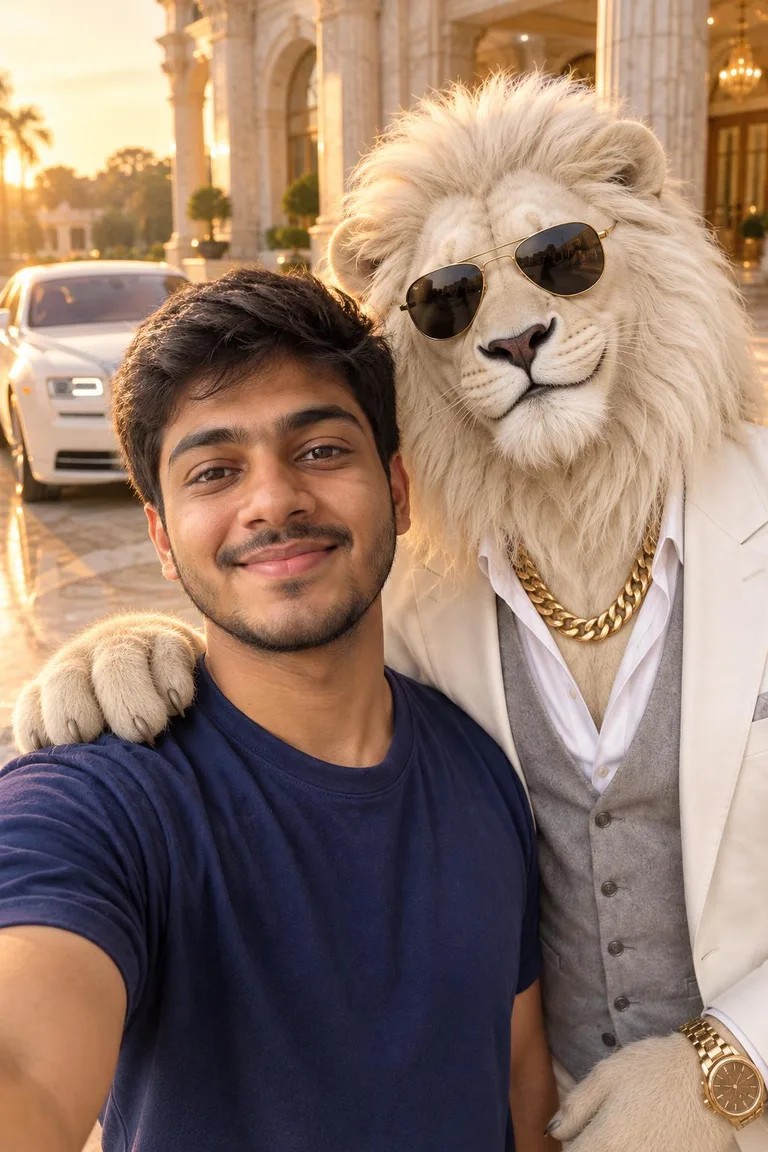
Selfie with Sheru Bhai
Scene: a close-up phone selfie. The person holds the phone at arm's length and smiles; Sheru Bhai stands right beside them with one paw on their shoulder, smirking at the camera. Background: a grand marble palace driveway at golden hour with an unbranded white luxury car.
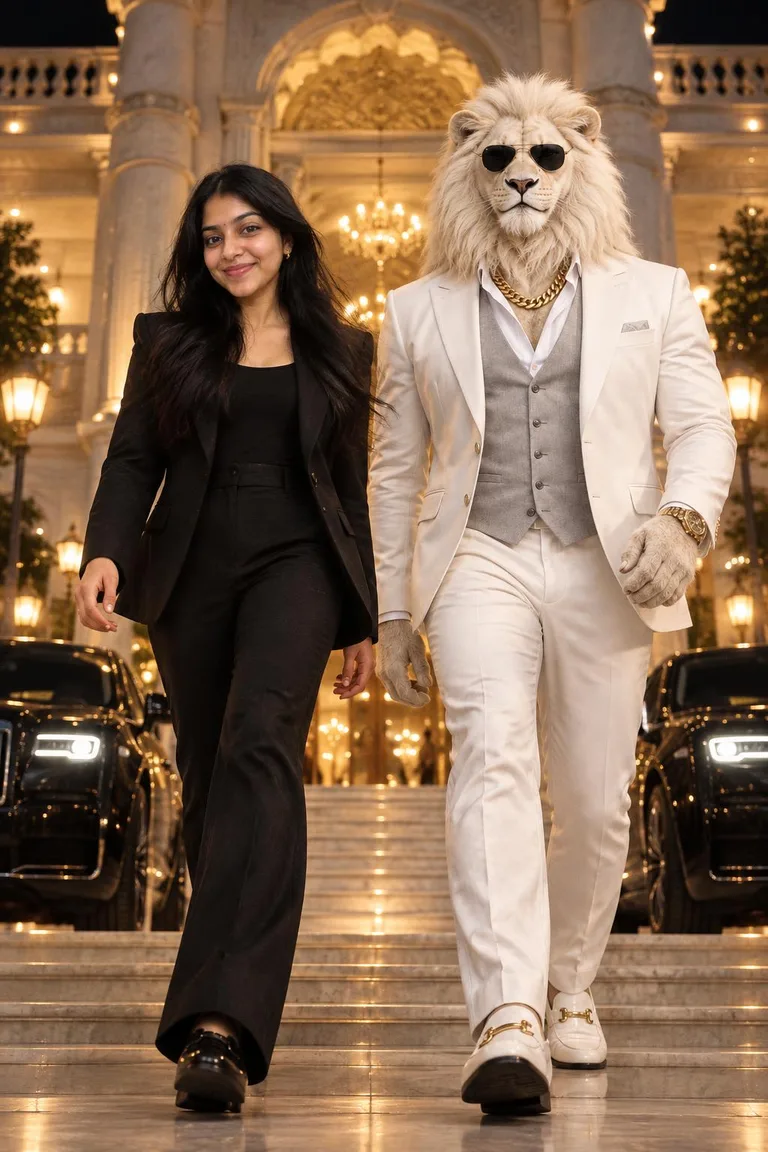
Boss entry with Sheru Bhai
Scene: the person and Sheru Bhai walk side by side toward the camera down the steps of a white marble palace at night, both confident like bosses; the person wears a sharp black suit while keeping their own face. Two unbranded black luxury cars and warm lights behind them, low camera angle.
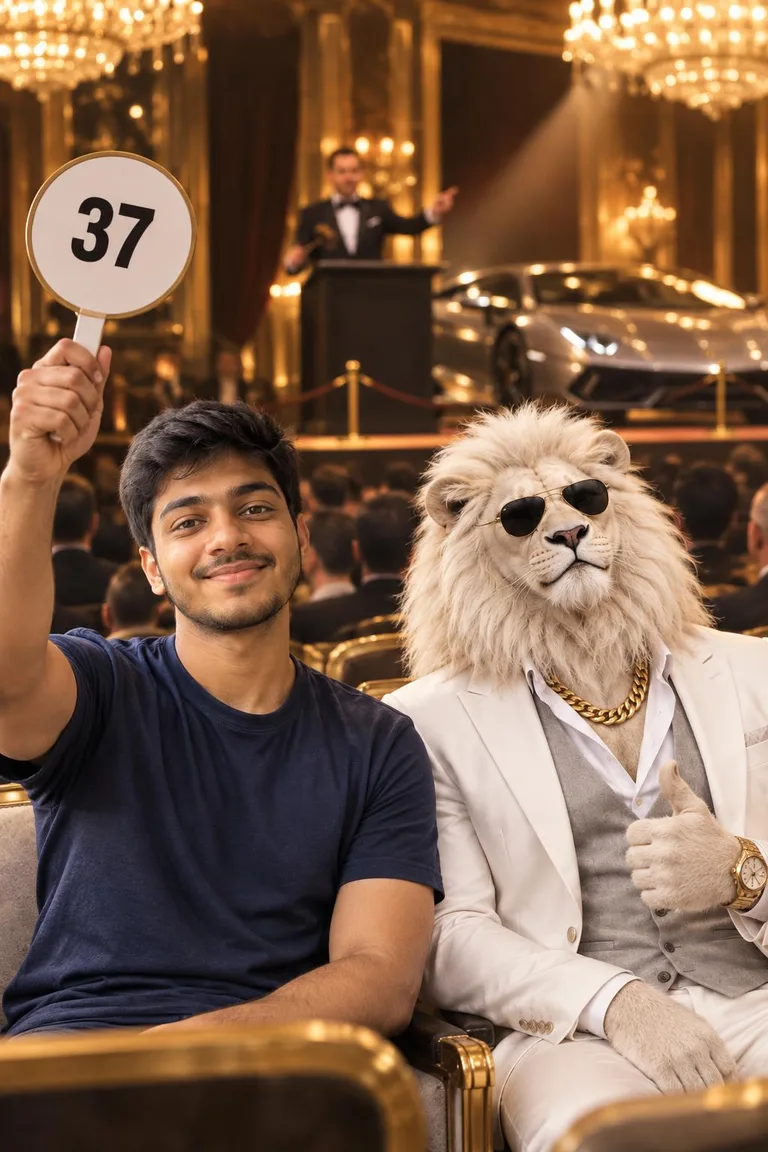
Auction win with Sheru Bhai
Scene: a luxury auction hall with gold chandeliers. Sheru Bhai and the person sit in the front row; the person raises a numbered bidding paddle and Sheru Bhai gives a proud nod. An auctioneer and an unbranded supercar on stage behind them, soft bokeh.
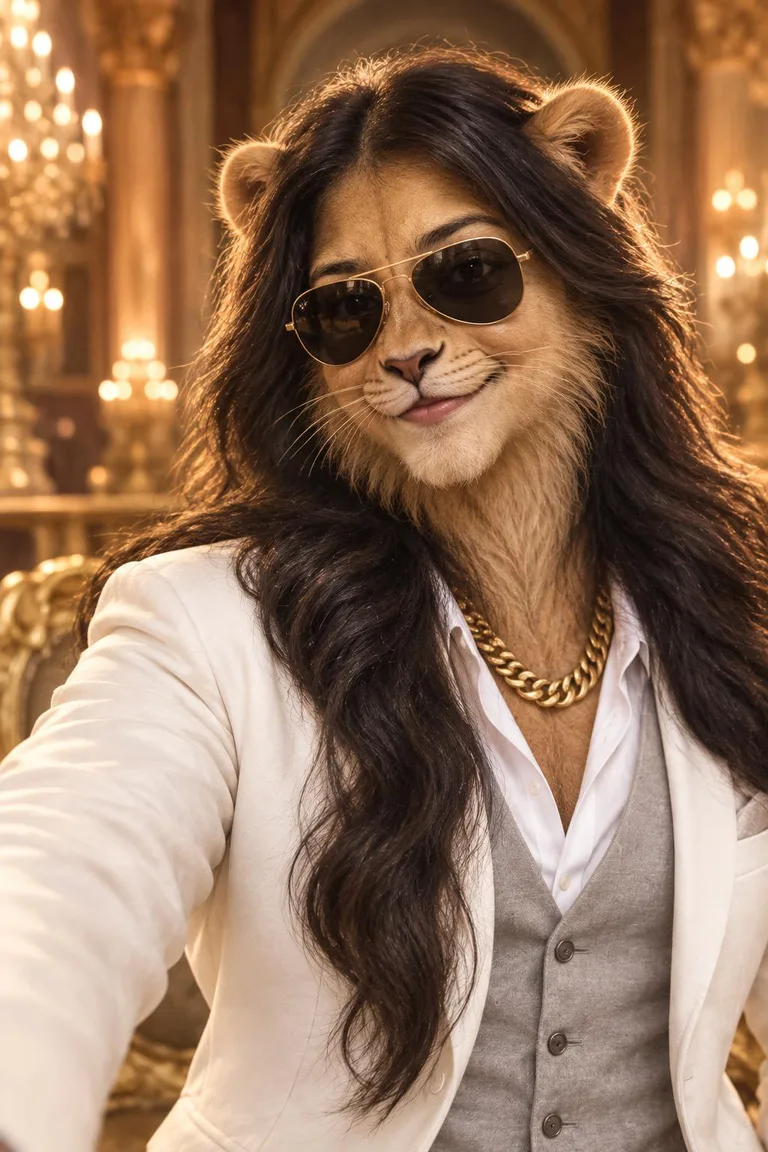
Turn me into Sheru Bhai
Scene: turn the person into a lion boss like Sheru Bhai: a lion head with a mane in the same color as the person's hair, wearing my clothes upgraded into a white three-piece suit with gold chain and aviators. Keep the person's pose and expression. Palace hall background, dramatic portrait light.
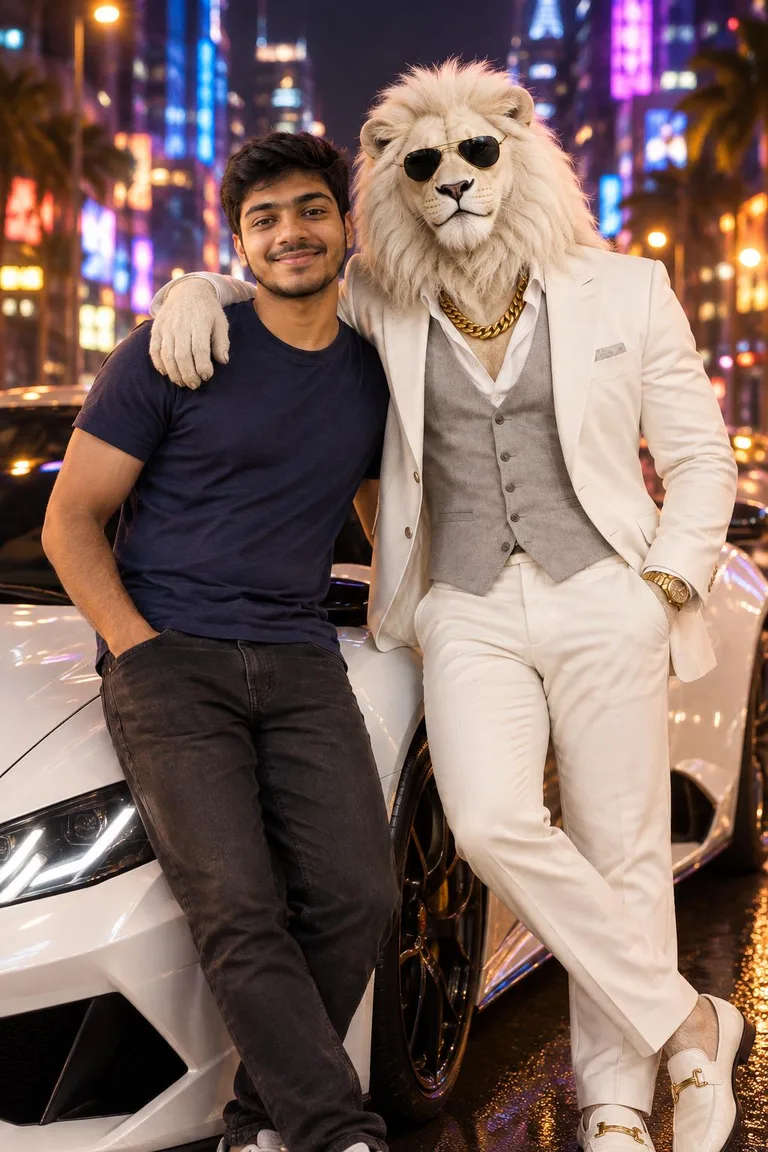
Supercar night with Sheru Bhai
Scene: the person and Sheru Bhai lean on an unbranded white supercar on a neon city street at night, both smiling at the camera.
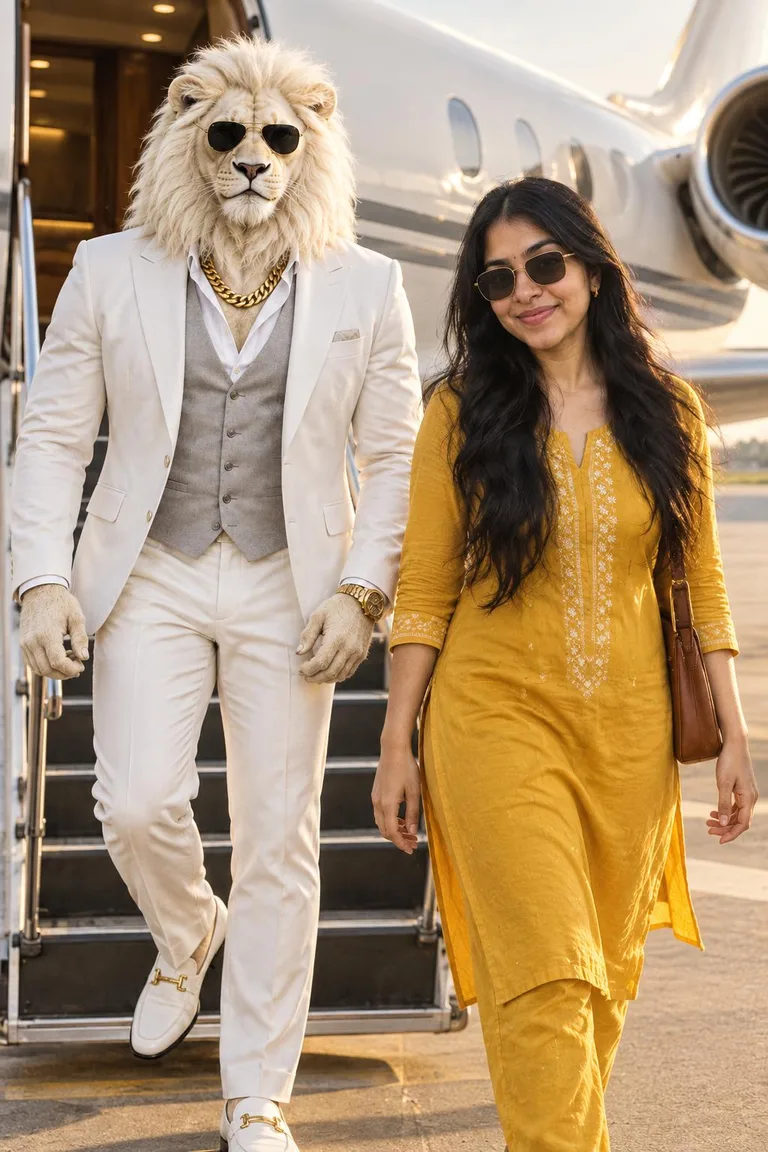
Private jet with Sheru Bhai
Scene: the person and Sheru Bhai walk down the stairs of an unbranded private jet on a sunny runway, both in sunglasses.
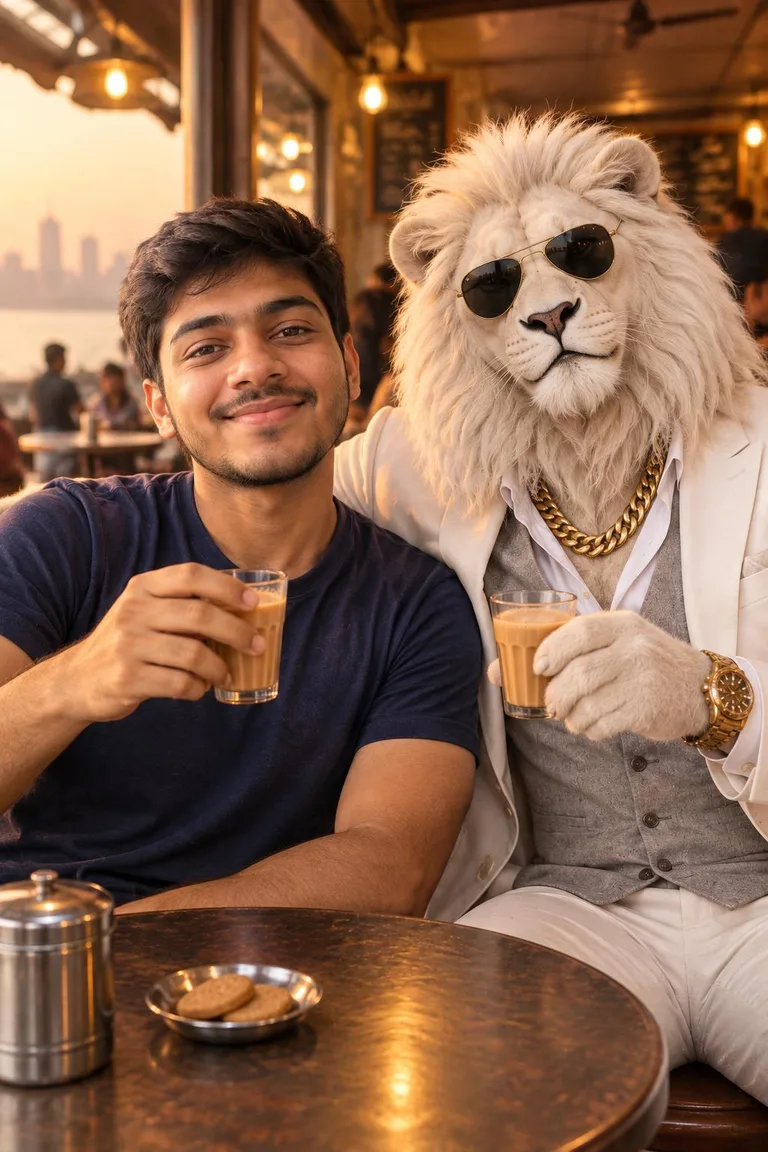
Chai with Sheru Bhai
Scene: the person and Sheru Bhai sit at a small table in a cozy Mumbai cafe, sharing cutting chai, laughing, warm evening light.
Sheru Bhai video prompts with Hindi voice
Use these in an image-to-video app with your Sheru Bhai photo. The first three clips are the real 5-second results from our video maker (720p, voice on).
Entry line
Animate this photo into a 5-second video. Sheru Bhai lowers his sunglasses, looks into the camera and says in Hindi: "Sab side ho jao… Sheru Bhai aa rahe hain." Keep every face exactly as in the photo. Vertical 9:16, smooth cinematic push-in, warm palace light, a deep confident male Hindi voice with lip sync, a heavy bass hit, no subtitles.
Auction line
Animate this photo into a 5-second video. Sheru Bhai raises a bidding paddle, smirks and says in Hindi: "Ek arab. Aur koi boli? Nahi? Toh ye meri hui." Keep every face exactly as in the photo. Vertical 9:16, smooth cinematic push-in, warm palace light, a deep confident male Hindi voice with lip sync, a heavy bass hit, no subtitles.
Dost line
Animate this photo into a 5-second video. Sheru Bhai puts a paw on the person's shoulder, grins and says in Hindi: "Ye mera bhai hai. Isse panga, matlab mujhse panga." Keep every face exactly as in the photo. Vertical 9:16, smooth cinematic push-in, warm palace light, a deep confident male Hindi voice with lip sync, a heavy bass hit, no subtitles.
Boss line
Animate this photo into a 5-second video. Sheru Bhai adjusts his gold chain, leans in and says in Hindi slowly: "Shor mat karo… abhi Sheru Bhai ka time chal raha hai." Keep every face exactly as in the photo. Vertical 9:16, smooth cinematic push-in, warm palace light, a deep confident male Hindi voice with lip sync, a heavy bass hit, no subtitles.
Auction story (3 shots, for longer-clip tools)
15-second vertical 9:16 story in three shots. Shot 1 (0–5s): a luxury auction hall, a black lion rival in a dark suit bids "Das crore." Shot 2 (5–10s): Sheru Bhai lowers his sunglasses and says in Hindi "Sau crore. Ab bolo." The rival goes quiet. Shot 3 (10–15s): the auctioneer bangs the gavel, Sheru Bhai smirks and says "Ye meri hui." Keep Sheru Bhai the same in every shot, deep Hindi voice with lip sync, crowd gasps, heavy bass hit, no subtitles.
Needs a tool that makes 15-second clips (for example Google Flow or Seedance 2.0 with 15s). Our video maker makes 5-second clips; for a story, make one clip per line and join them.
How to use a Sheru Bhai prompt in ChatGPT
- Open ChatGPT and start a new chat. Use a model that can create images.
- Attach one clear selfie: your face toward the camera, good light, one person in the photo.
- Paste the Sheru Bhai look from Step 1, then one scene from Step 2, in the same message, and send.
- If the face changes, reply "Keep my face exactly as in my selfie, change only the scene" and try again. Asking for a fresh image usually works better than asking for many small edits.
How to use a Sheru Bhai prompt in Gemini
- Open Gemini and choose the option to create images.
- Tap + and upload your selfie.
- Paste the Sheru Bhai look and one scene together, then send.
- Gemini sometimes makes Sheru Bhai a real lion or drops the suit. Add "anthropomorphic lion boss in a white three-piece suit" again at the end of the message and retry.
Common Sheru Bhai prompt problems and fixes
- My face looks different. Use a sharper selfie taken in daylight, remove sunglasses and keep only one person in the photo. Long-distance or group photos give the AI too little to work with.
- Sheru Bhai looks different in every photo. Always paste the full look from Step 1. Short prompts like "me with Sheru Bhai" let the AI invent its own lion each time.
- The app refuses or blurs the image. Some apps block photos that look like real public figures or minors. Use your own adult selfie.
- I want 4K. Chat apps often return images only about 1024 px wide. For a 4K Sheru Bhai wallpaper, download one of the free 4K photos on our Sheru Bhai photo page.
Skip the prompt
Copying prompts works, but free apps change faces and stop after a few tries. On our Sheru Bhai photo maker the Sheru Bhai look and a fixed Sheru Bhai reference image are built in, so you only upload a selfie and pick a scene. The Sheru Bhai video maker then adds the Hindi voice for you.
Prompt questions
Where do I paste a Sheru Bhai prompt?
Open an AI image app that accepts a photo, such as Gemini or ChatGPT, upload your selfie, paste the Sheru Bhai photo prompt and send. For video prompts, use an image-to-video app and upload the photo you want to animate.
Why does my face change?
Most apps change faces a little. Use a clear front-facing selfie and keep the line that says to keep your face exactly. Our photo maker sends a fixed Sheru Bhai reference with every photo, which helps keep both faces stable.
Are these prompts free?
Yes. Copy them as often as you like. If you would rather skip the prompt, our photo maker gives 2 free Sheru Bhai photos on a new account.
Can I change the Hindi line?
Yes. Replace the text inside the quotes with your own short line. Keep it to one or two short sentences so it fits in 5 seconds.